Equipment catalog
The catalog is the source of every specification the configurator computes a project from. This is where a screen learns its resolution, weight and power draw.
Two halves of one section
A switcher at the top picks between LED screens and Cards. These are two different objects, not two variants of one:
| LED screens | Cards | |
|---|---|---|
| What it is | A cabinet model | A video processing/sending card |
| Defines | The screen geometry and physics | How many pixels a port can carry |
| Used | When creating a screen | In patch mode |
Both halves work identically: the list in the centre, the form on the right, the "Edit", "Save" and "Delete" buttons.
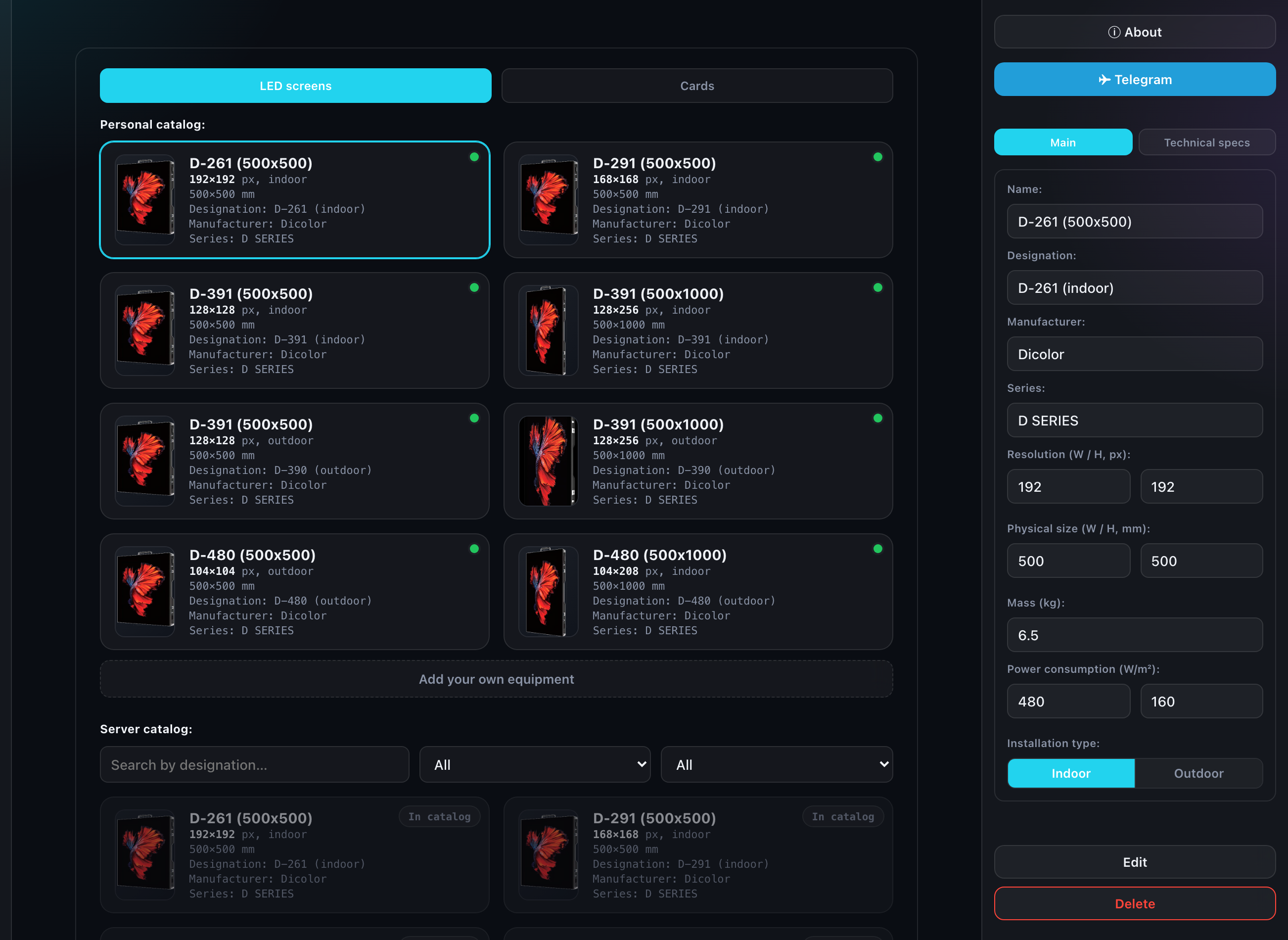
The LED cabinet form
The fields are split across two tabs of the form.
Main
- Name — what the model is called in the editor lists;
- Designation, Manufacturer, Series — reference fields that reach the specification;
- Resolution (W / H, px) — the pixels of a single cabinet;
- Physical size (W / H, mm) — its dimensions;
- Mass (kg);
- Power consumption (W/m²) — maximum and average;
- Installation type — Indoor or Outdoor.
Resolution and physical size are not decoration but the basis of every calculation: the final wall resolution, its dimensions, its mass and its power draw in the specification all come from them.
Technical specs
- Cluster size (W / H, px) — the assembly step a screen is built from;
- Brightness (nit);
- IP rating;
- Cabinets per power cable — how many cabinets hang off one line;
- Front Panel and Rear Panel — two photos, the face and the technical side;
- PDF link — the full datasheet from the manufacturer.
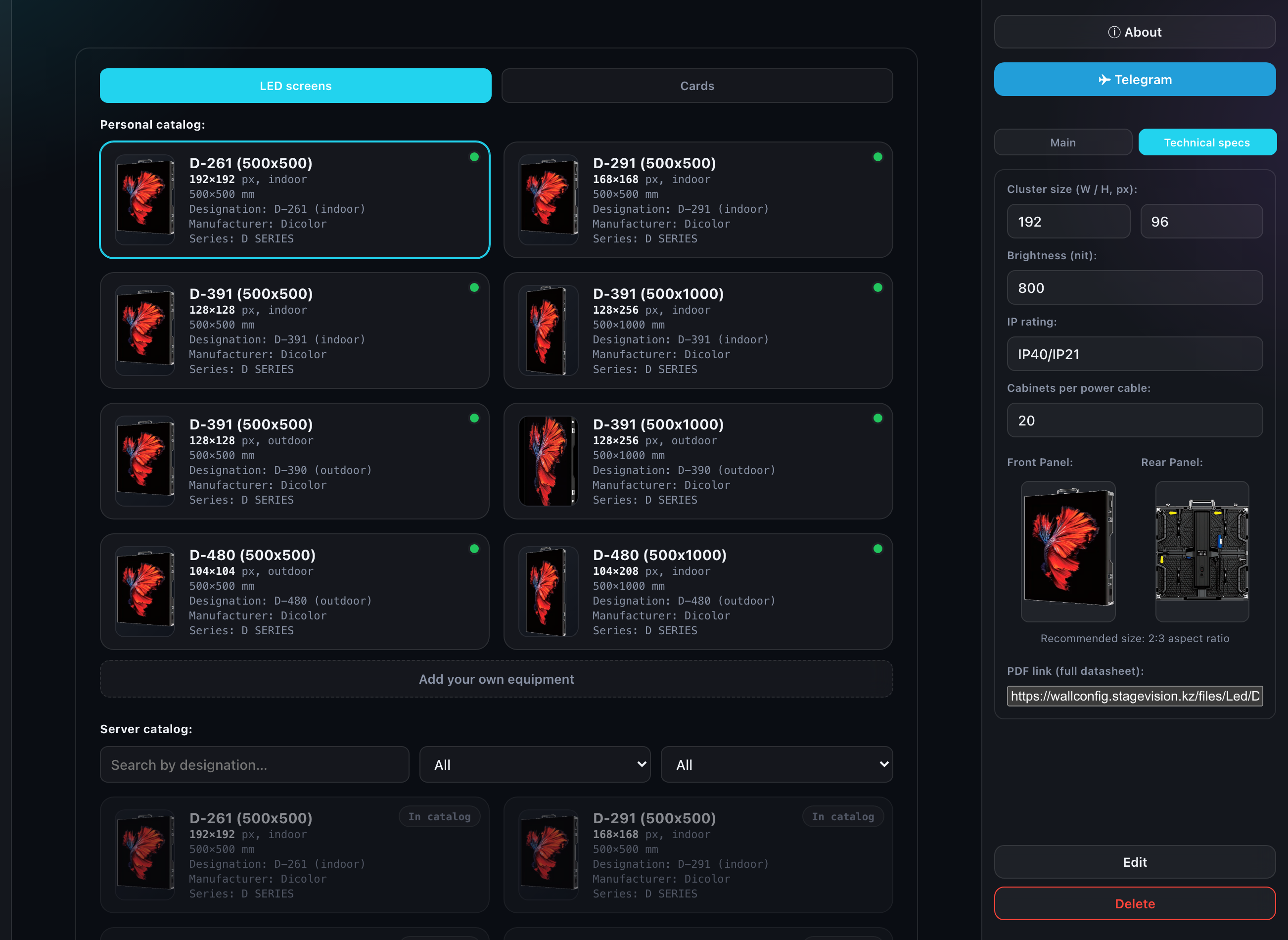
Photos are optional: without them a card shows a standard placeholder. But it is your photo that reaches the specification and the model card.
The processing card form
The same two tabs, a different set of fields:
- Name — Novastar MX40 Pro, for instance;
- Technology — it decides how many pixels one port can carry;
- Ethernet ports;
- Refresh rate, Hz and Color depth — ticked as a set rather than a single value: a card supports several modes;
- Mass, Power consumption (W), photos and a PDF link.
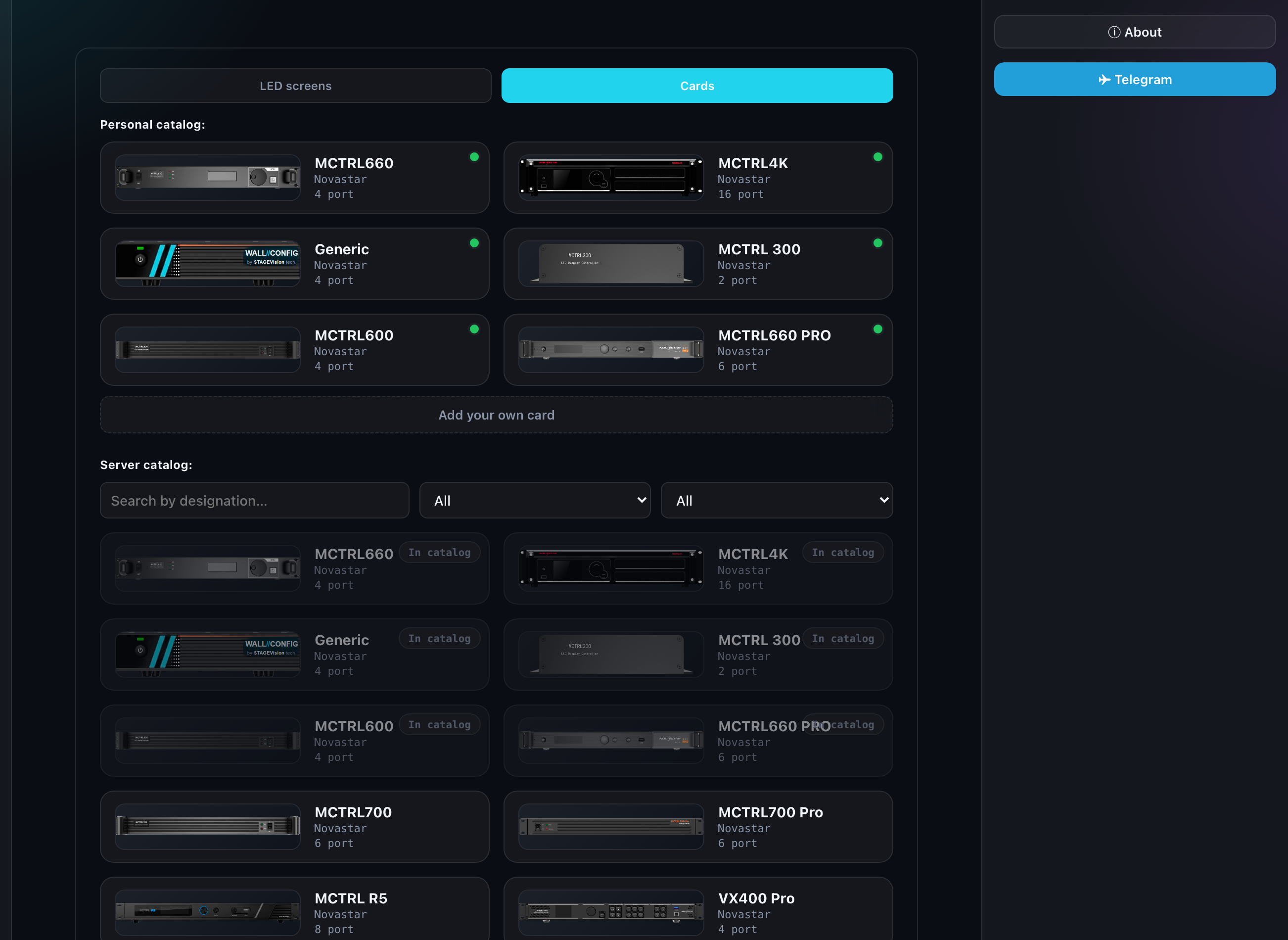
How technology, refresh rate and color depth turn into port capacity is covered in "Port load and card technologies". Your own values are set in the "Standards" section.
The server catalog
Below your own list sits the catalog curated by the administrator. These are not your records: they cannot be edited or deleted, but they can be copied to yourself with a button in the panel on the right. Once copied the record is yours and edits like any other.
A copied record carries a "matches the server" marker. Change anything and the marker goes out — that is how you see where you departed from the reference.
How many models you can keep
Current usage for cabinets and cards is shown in the "Account" section. The list is paginated, 20 records at a time.