Creating a link
A link is created in the editor, in export mode — the same place files are exported from. It cannot be created in your account: there links are only reviewed and configured.
The steps
- open the editor with the project you need;
- enter export mode;
- pick "Create link" in the format list;
- fill in a name — the only required field;
- configure the access and create it.
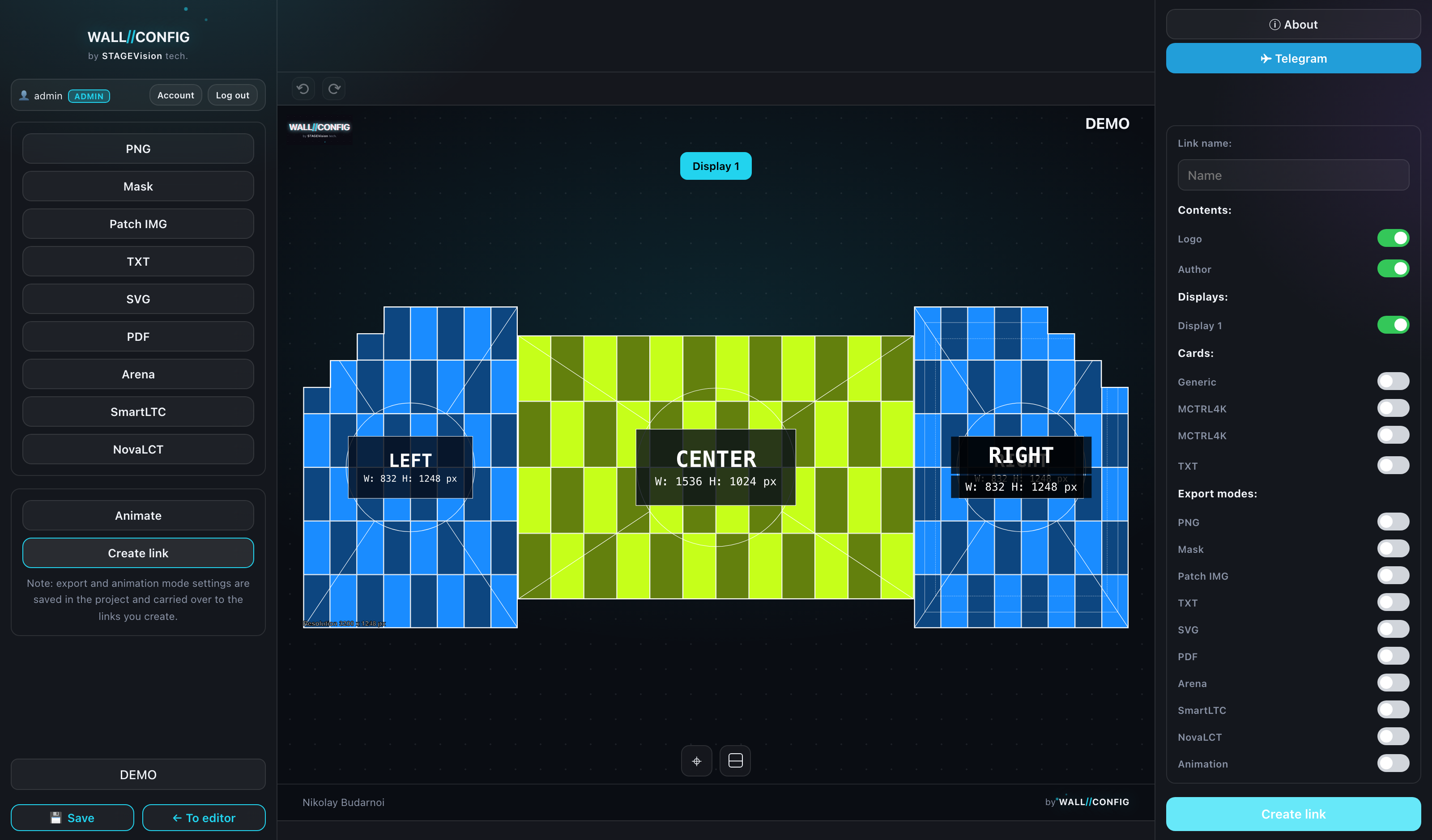
The form saves the project itself
Before creating the link the form saves the project. That is by design: the public page serves data from the database, not from your open editor. Otherwise the recipient would see an old version — or nothing at all, if the project had never been saved.
The preview beside it
The centre of the workspace shows the public page itself, exactly as the recipient will see it. It is not a schematic picture but the real page: as you change the settings you see the result immediately.
The address
A link has a short address of the form /s/<token>. The token is random: somebody else's link cannot be guessed by brute force.
The address stays in the browser bar as it is — the page does not redirect the recipient anywhere else. Such a link is easy to forward in a messenger or an email.
What exactly can be configured is covered in "Link settings".