What WALL//CONFIG is
WALL//CONFIG is an online LED video wall configurator. You build a screen out of real cabinet models, see its size, resolution, weight and power draw, distribute the cabinets across processor ports, and export the result: a picture for an email, a spec sheet for a quote, a file for NovaLCT or SmartLTC, and a link for the client.
What it is for
The configurator covers the road from "the client sent us the wall dimensions" to "the installer knows which cable goes where". Four typical jobs:
- Calculate the screen. Pick a cabinet model, set the layout — resolution, physical size, weight, power draw and cabinet count appear at once.
- Show what it looks like. A picture of the wall with labels, a test pattern and your logo — for an email or a proposal.
- Patch it. Cabinets are distributed across the Ethernet ports of processing cards, with a check on whether the load fits the port.
- Hand it over. A spec sheet, a PDF, a project file for the processor, and a public link the client or the crew opens without an account.
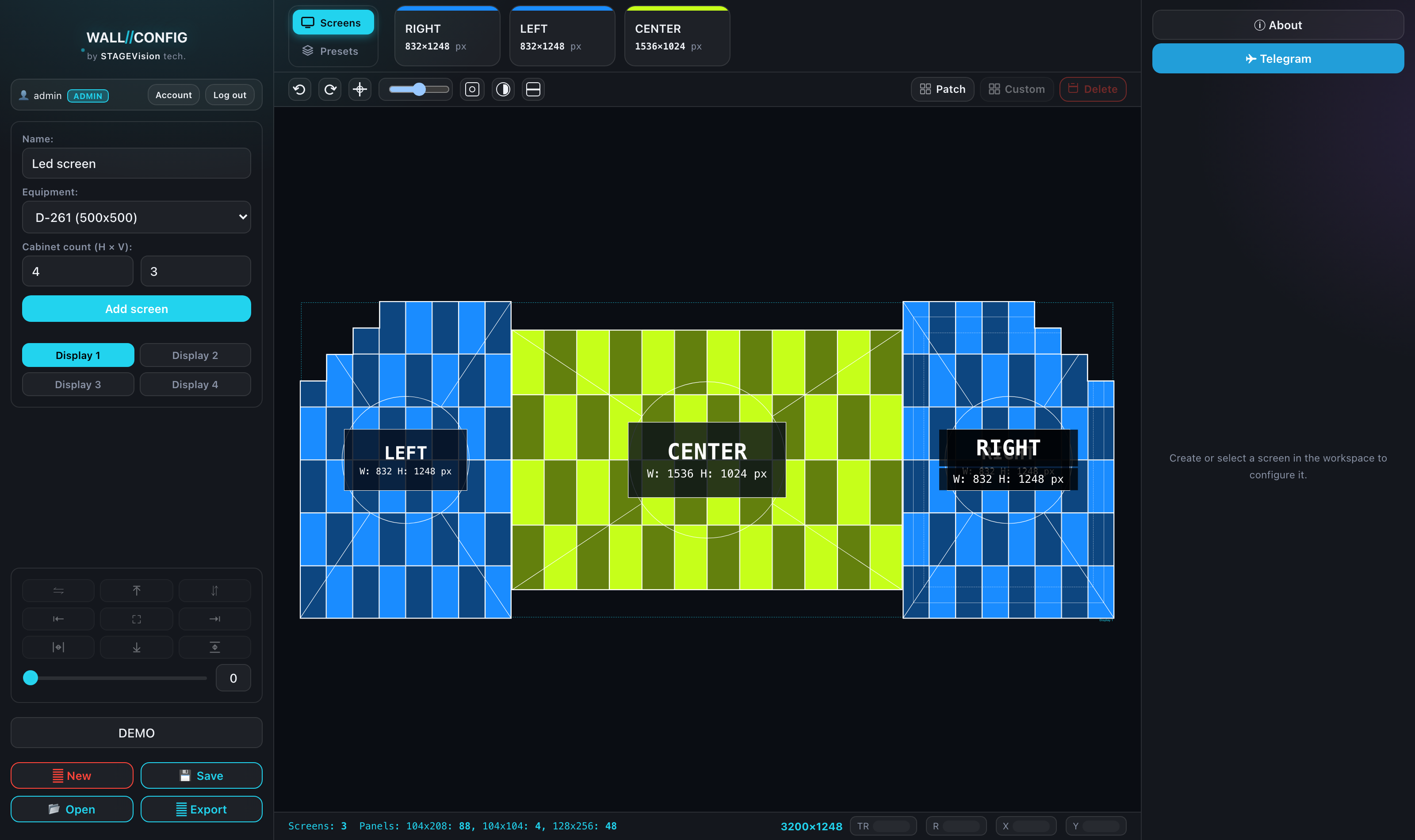
What the product is made of
WALL//CONFIG is a handful of pages with different jobs:
| Page | What happens there |
|---|---|
| Editor — the main page | Building the wall, styling, patching, export. Opens straight away, no account needed. |
| Account | Saved projects, equipment catalog, layout library, public links, settings. |
| Public link | A separate view-only page of a project — what the recipient of a link sees. |
| Documentation | What you are reading now. |
What works without an account
The editor is open to everyone: you can build a wall, style it, patch it and export files without signing up. An account is needed wherever data has to live somewhere.
Without signing in you cannot: save a project, keep your own equipment catalog, save layouts to the library, or create public links. Everything else works.
A line-by-line comparison is in Guest and user: what you get; signing up and email are covered in Accounts and guest access.
Where to start
If this is your first time, open Your first screen in 5 minutes: an end-to-end run from an empty canvas to a finished picture. After that, as needed: the interface, styling a screen, patching and public links.