Patterns
This section decides how layers reach your editor: with which parameters, under which names, in which order and which ones to offer at all.
The switch at the top splits it in three: "Layers" and "Labels" — individual layer types, which this article is about, and "Presets" — ready-made combinations, covered in their own article. Presets come first: they are what gets used most.
Three levels, not one
A layer's values are resolved as a chain, each level overriding the one before it:
| Level | Set by | What it means |
|---|---|---|
| Factory | The program | What the layer ships with |
| Administrator | The administrator | A setting for every user |
| Personal | You, in this section | For you only |
A parameter you never touched is shown as the administrator's value, not the factory one. Only what you actually changed is saved — the rest keeps following the administrator's settings.
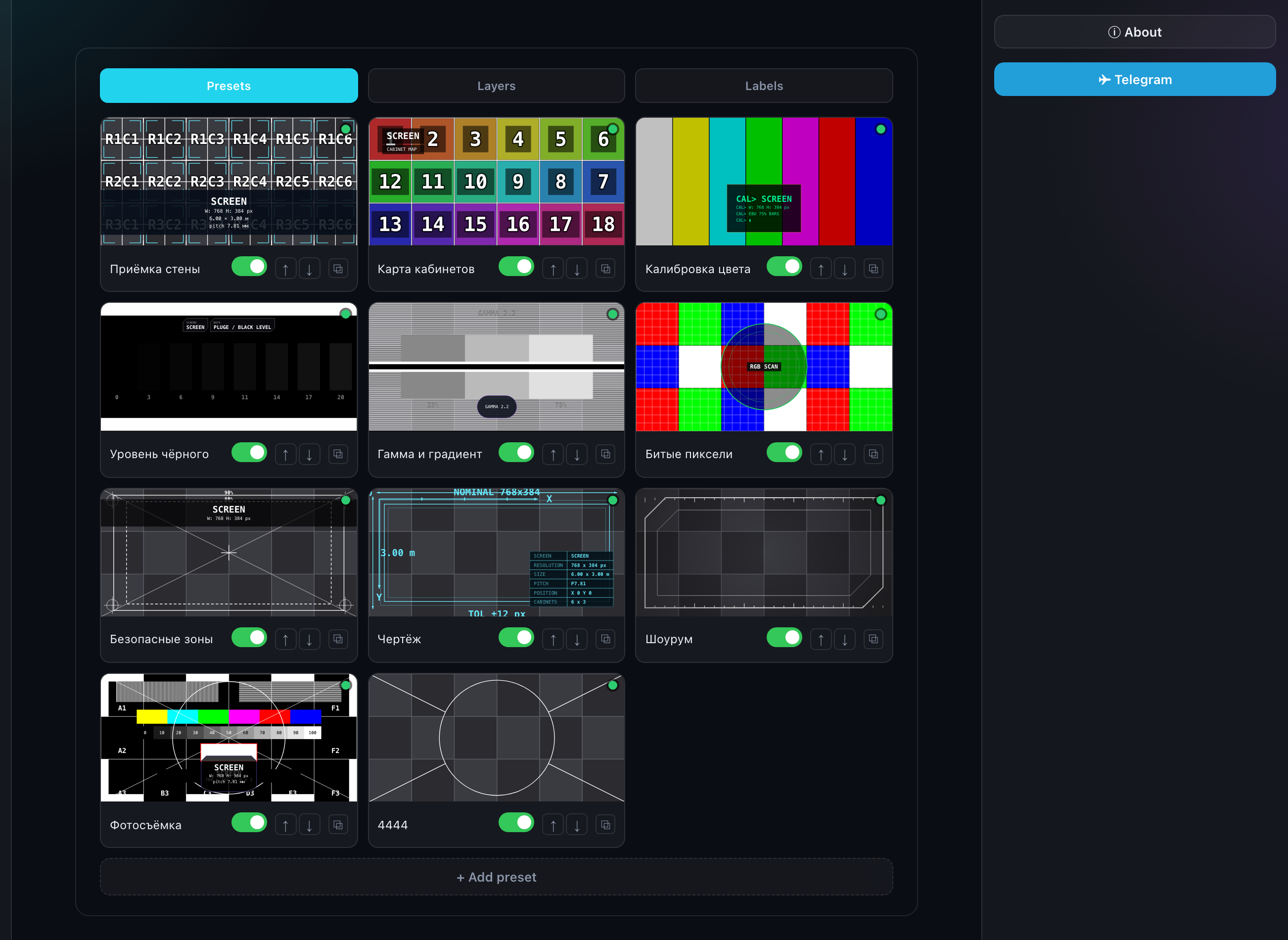
What you can do to a type
- Change its parameters — thickness, step, colors: that is how the layer will appear;
- Rename it — your name is visible only to you;
- Reorder it with the arrows — the order in the editor list;
- Hide it with the toggle — the type stops being offered;
- Duplicate it — your own variant of the type with different parameters.
The name is stored as a single string and is not translated: there is one field in the form, and the name you invent stays the same in either interface language. An empty name means "show the administrator's" — and that one is bilingual.
The status dots
The colored dot on a type shows where its settings came from:
| Color | Meaning |
|---|---|
| Green | As on the server — you changed nothing |
| Red | You changed the server value |
| Blue | Your own duplicate — or a type that became yours (see below) |
Restoring
Below the list sits "Restore layers" (and "Restore labels" on the neighbouring sub-tab). It drops your edits across every type of that kind at once and brings back what the administrator configured.
The button is disabled while there is nothing to restore: the section already matches the server. A single type is brought back by its own "Restore" button in the right column.
If the administrator disables a type
A disabled type drops out of the list — you cannot enable it for yourself. But that only applies to what you never touched.
A type you had already configured stays with you and becomes your own: the dot turns from red to blue. Your work does not vanish because the administrator changed their mind. When they enable the type again, the server one returns to the list as a separate tile and yours stays next to it.
What layers are and how a pattern differs from a plate is covered in "Layers: patterns and plates", "Patterns" and "Caption plates".