The marquee and traversal patterns
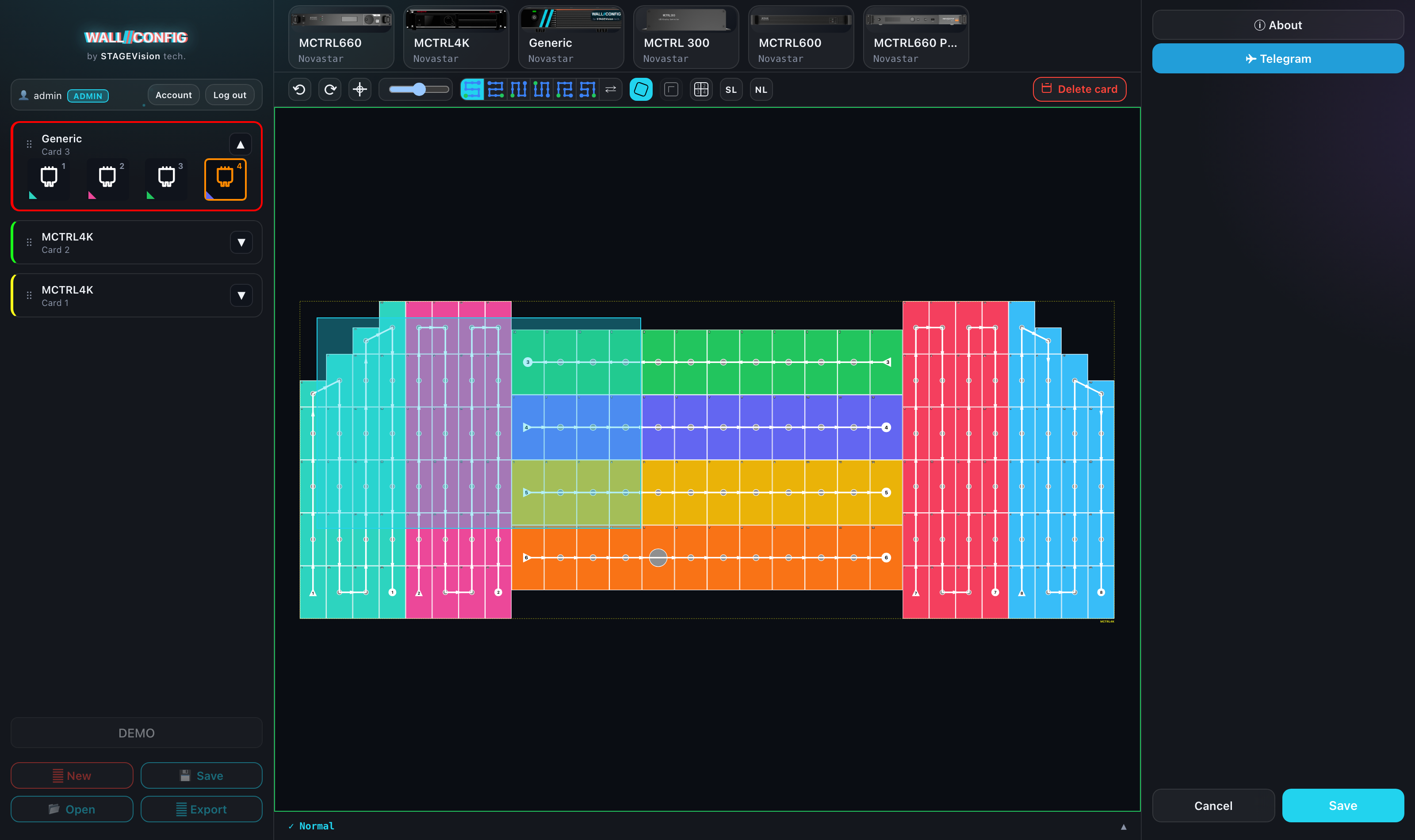
Patching a whole wall by hand takes a while. The automation builds the chain from a traversal pattern — you only drag a marquee around the part of the wall you want.
The automatic marquee
Patching a whole wall by hand takes a while. The automation does it by a traversal template:
- Pick the active port.
- Click the traversal pattern you want in the toolbar.
- Drag a marquee around the part of the wall you want.
Release it and the chain is rebuilt from the free cabinets it caught, in the order of the chosen pattern and trimmed to the port's capacity: the surplus simply does not go in.
The button icons are drawn by running the algorithm itself over a test grid, so they always show the real traversal order. Here are all six on a 3×3 wall, with cabinets numbered the way a calculator keypad is — 1 is the bottom-left one:
| # | How the chain runs | Order on a 3×3 grid |
|---|---|---|
| 1 | Horizontal snake, starting bottom-left | 1 · 2 · 3 · 6 · 5 · 4 · 7 · 8 · 9 |
| 2 | Horizontal snake, starting bottom-right | 3 · 2 · 1 · 4 · 5 · 6 · 9 · 8 · 7 |
| 3 | Vertical snake, starting bottom-left | 1 · 4 · 7 · 8 · 5 · 2 · 3 · 6 · 9 |
| 4 | Vertical snake, starting top-left | 7 · 4 · 1 · 2 · 5 · 8 · 9 · 6 · 3 |
| 5 | Comb, rightward | 1 · 4 · 7 · 8 · 9 · 6 · 5 · 2 · 3 |
| 6 | Comb, leftward | 3 · 6 · 9 · 8 · 7 · 4 · 5 · 2 · 1 |
Five of the six start from the bottom — the same way cabinets are numbered. The fourth starts from the top deliberately: its start and end are swapped, and without that it would repeat the third exactly.
Esc disarms a pattern if you change your mind.
The same patterns in power patching
The six buttons work in Power mode too: pick a line instead of a port, click a pattern and drag the marquee. The traversal order is the same; only the ceiling differs — the chain is trimmed by the cabinets-per-cable norm rather than port capacity.
Reversing a chain
The "Reverse" button turns an existing chain around. Click it, and your next click on any patched cabinet reverses the chain of the port that cabinet belongs to, whichever port happens to be active.