Assigning cabinets
The patching itself: you pick a port and point at cabinets in the order the cable will run. This is the manual way — the fast automatic one is covered in the next article.
Assigning cabinets to a port
- Pick the active port by clicking its connector in the card block. The active port is highlighted.
- Click the cabinets on the canvas in the order the cable will run.
- Switch to the next port and repeat for the remaining cabinets.
Two ways work, and they do not get in each other's way:
- Clicking a cabinet assigns it to the active port. Keep clicking cabinet after cabinet: each click adds one.
- Dragging — after the first click you can simply move the cursor without holding a button. A cabinet is appended not when you touch its edge, but when the cursor enters the circle at its center: otherwise the chain would grow from brushing past a neighbour by accident.
The drag ends on a click off the canvas, Esc, or switching or clearing the active port. Clicking another cabinet does not end it — it assigns the next cabinet.
Starting marquee auto-patching or "Reverse" also interrupts the drag — the two never run at once.
- Arrow keys ← ↑ → ↓ append the nearest cabinet in that direction.
- There is no drag gesture on a touch screen — that gesture pans the canvas, so each tap simply assigns the next cabinet.
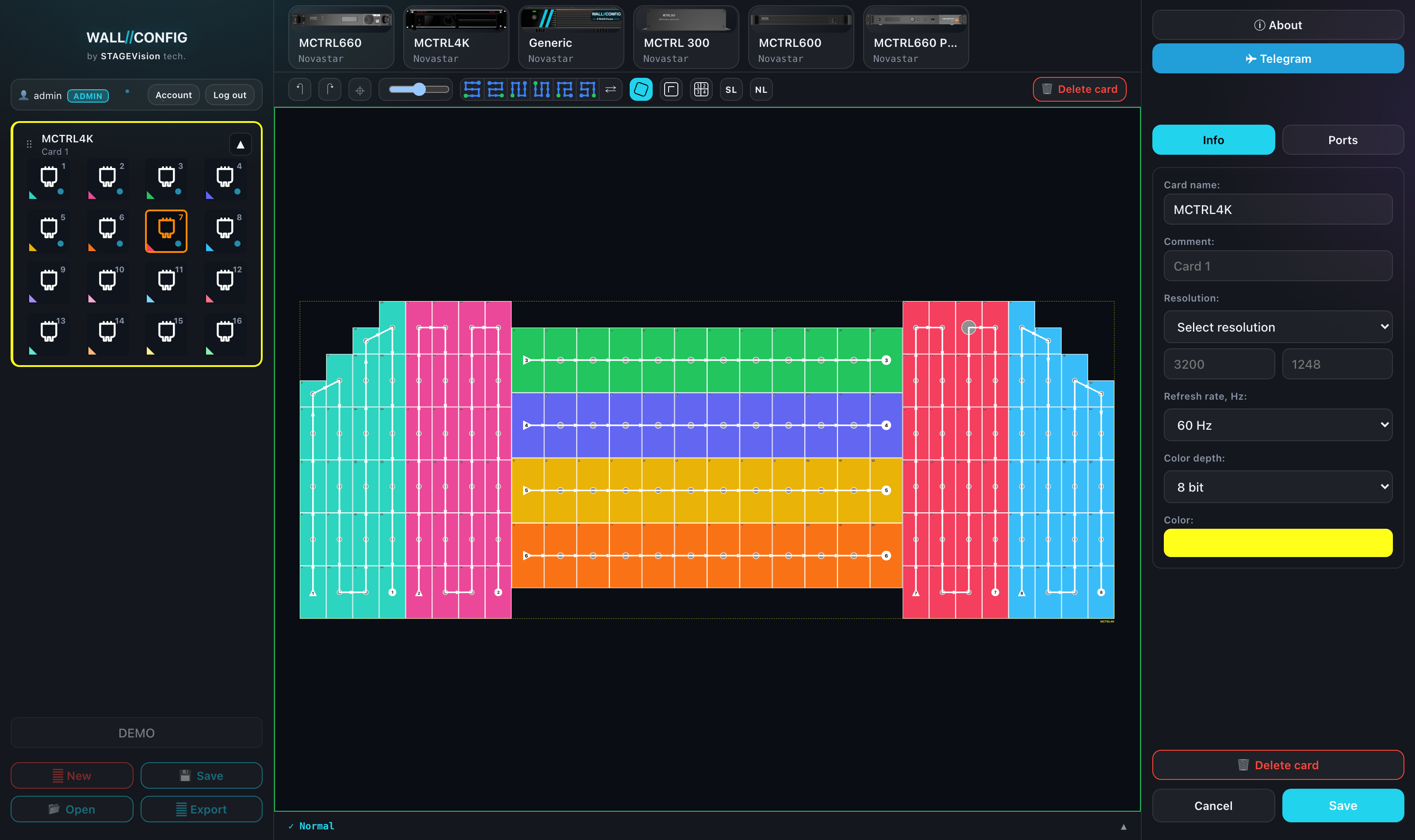
The click order is the cable order. Click the way the loom will actually run on site: this is the plan the cabinets will be wired by.
A cabinet already taken by another port cannot be stolen. Clicking it switches the selection to the card and port that own it and expands that block — handy for making sense of someone else's scheme, but surprising if you did not expect it.
Context menu
Right-click on a patched cabinet:
- Remove this connection — take one cabinet out of the chain;
- Clear port — drop the whole chain of that port;
- Reverse patching — turn the chain around;
- Clear Patch — delete every card in the project at once, with a confirmation.
In Power mode the menu is different — its items are about power lines, not card ports. See Power patching.