TXT — the spec sheet
The spec sheet is a text listing of what the wall is built from. It is a document for a quote or a proposal, and the only format you can edit right in the configurator.
What goes into the document
Each section has a switch of its own:
| Section | Contents |
|---|---|
| Equipment list | Cabinet and processing card models with quantities. |
| Summary | Overall wall size, resolution, cabinet count, total weight and power. |
| Breakdown by screen | Every screen with its own layout and dimensions. A display checklist sits alongside. |
| Processing cards | The cards and the load on their ports. A card checklist sits alongside. |
| Power patching | The power lines: cabinet count, load in watts, percentage of the ceiling and the reason for an overload, spelled out. |
| Author | Name, company and job title from your profile. |
The Power patching section only appears in the list once the project has a power layout — see Power patching. The report names the selected standard, and an overloaded line says outright what it hit: the current or the cabinet count. Cabinets with no power set are listed separately, so the total does not look complete when it is understated.
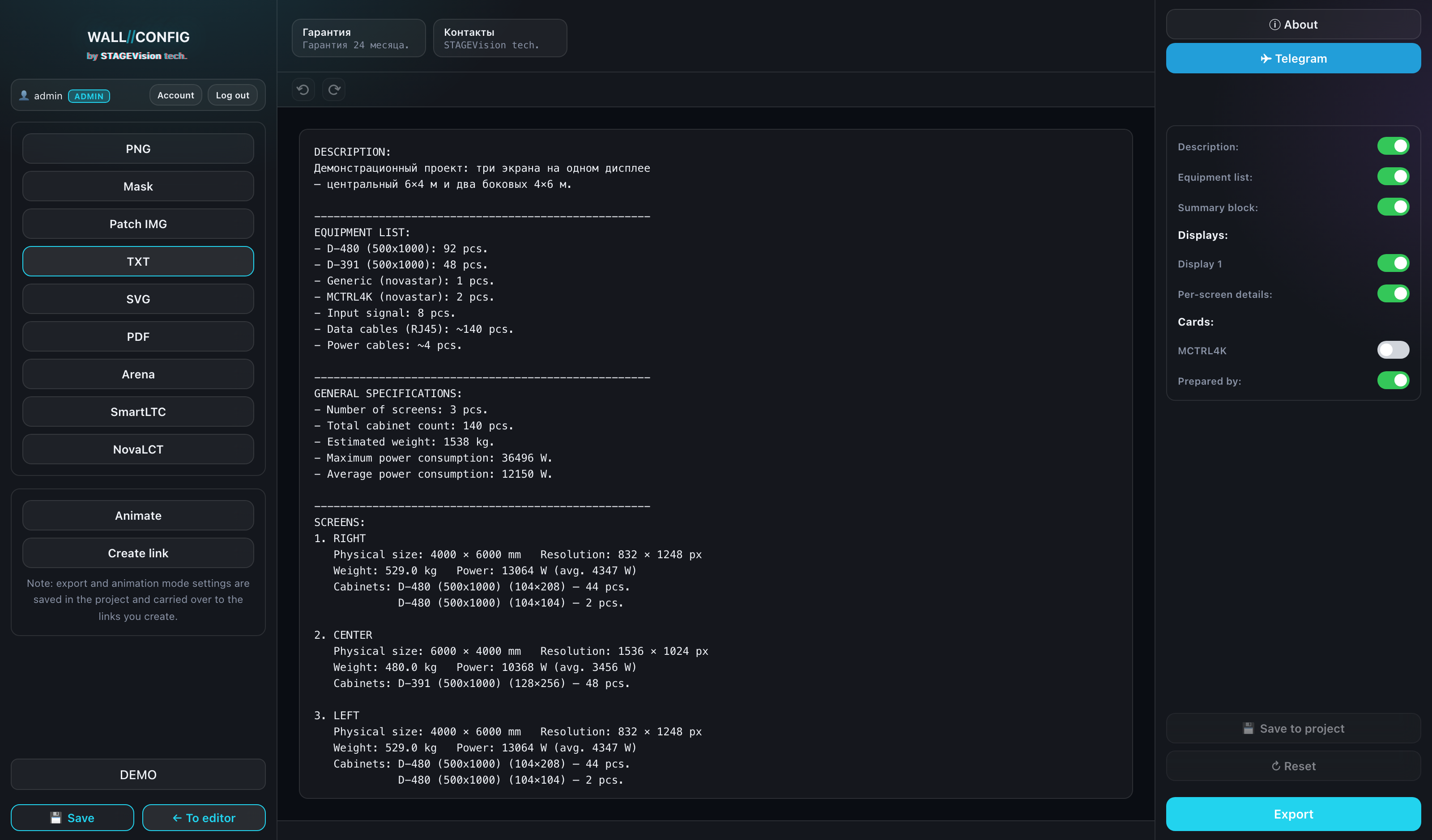
Editing the text
The preview in the center is not a picture but an editable field. Add a note, remove a line, reword something for your particular client.
- Edit the text in the central field.
- Click "Save" — the edited text is written into the project.
- "Reset" brings back the automatically generated version.
The recipient of a public link sees the saved text too: if the spec sheet is enabled in the link settings, it is your edited version that appears there.
Where the numbers come from
Weight and power are derived from the cabinet model characteristics in the catalog: the cabinet weight is multiplied by the quantity, and the power is converted from watts per square metre to the real area.
If a model card has no weight or power filled in, they will not appear in the spec sheet — the configurator does not invent missing data. Check the card in your catalog.